




Clarity OS On‑Demand Demos | AI‑Powered Growth OS
Clarity OS · On‑Demand Demos
Clarity OS On‑Demand Demos – AI‑Powered Growth Operating System
Each demo shows a different angle of the same operating system – strategy, content, email, sales, and neuromarketing – so you can see how Clarity OS behaves as one governed Growth OS, not a collection of disconnected tools.
If you are responsible for strategy, content, email, or revenue, and suspect your current setup is quietly limiting growth, these demos are for you. Watch the main overview, then dive into the modules that matter most to your role.
Short, practical walkthroughs. No sign‑up required. Watch, evaluate, and then choose the path that fits.
Main OS Demo
Clarity OS Overview – The 6‑Phase Core Engine
This demo introduces the 6‑phase Core Engine and shows how strategy, content, email, and sales live inside one operating system. It is the best starting point if you want a clear mental model of Clarity OS.
- How the six phases form a continuous content and revenue engine.
- How strategy is captured once and reused across campaigns and modules.
- How AI assistants support work inside the OS rather than as separate tools.
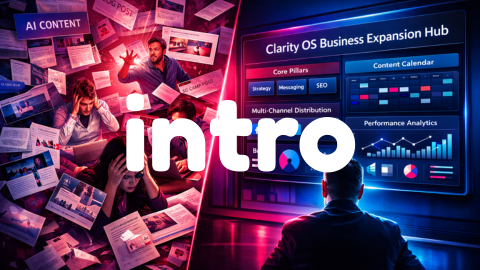
This demo walks through the primary workspace, the Core Engine, and how teams move from strategy to execution.
Module Demo
Business Strategy in Clarity OS
See how the Business Strategy Module uses the Core Engine to clarify ICPs, positioning, and offer architecture, and then feeds this directly into campaigns and content.
- Capturing ICPs, positioning, and offers in living strategy frameworks.
- Designing 90‑day strategy sprints that the rest of Clarity OS executes against.
- How strategic decisions become inputs for content, email, and sales workflows.
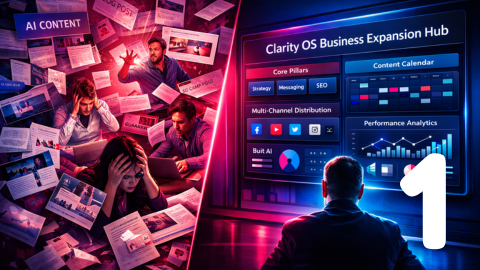
For additional detail, you can also review the Business Strategy Module page.
Module Demo
Content Builder Module inside Clarity OS
This demo shows how the Content Builder Module turns scattered ideas into structured pillars, assets, and a reusable content library that lives inside the OS.
- Moving from raw ideas to content pillars, campaigns, and specific assets.
- Using AI as a style‑aware thinking partner rather than a generic text generator.
- Building a library that supports email, sales enablement, and future campaigns.
You can also explore the Content Builder Module page for a written overview.
Module Demo
Email Marketing Module inside Clarity OS
See how the Email Marketing Module designs and supports 90‑day email strategies, key sequences, and ongoing optimization, all governed by the same Intelligence Layer.
- Designing 90‑day email strategies linked to offers, ICPs, and content pillars.
- Using neuromarketing‑aware templates to improve clarity and engagement.
- Reviewing performance and feeding learning back into strategy and content.
Additional background is available on the Email Marketing Module page.
Module Demo
AI Sales Assistant Module inside Clarity OS
This demo focuses on the AI Sales Assistant Module, showing how it generates daily action lists, supports outreach and follow‑up, and stays aligned with the same strategy and content that drive your marketing.
- Generating prioritized daily action lists for revenue teams.
- Using shared content and offers from the OS for outreach and follow‑up.
- Maintaining pipeline hygiene and surfacing next‑best actions.
Module Demo
Neuromarketing Agent Module inside Clarity OS
This demo shows the Neuromarketing Agent Module, your cognitive‑science layer for hooks, CTAs, and narratives that reduce cognitive load rather than increase pressure.
- Designing hooks, CTAs, and narratives aligned with how your audience decides.
- Applying neuromarketing principles across content, email, and front‑door experiences.
- Ensuring messaging remains on‑brand, ethical, and clear as you scale.
From watching demos to running your own Growth Operating System
Choose your next step
These demos are designed to help you decide whether a Growth Operating System is the right next move, and whether you want Clarity OS to fill that role. When you are ready, choose the path that best matches your level of certainty.
